
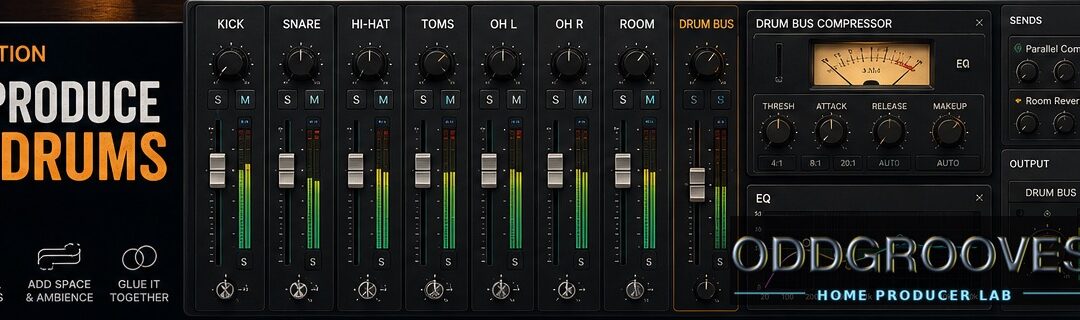
Making MIDI drums sound like they belong in the track
Once your MIDI drum performance feels good, it’s time to make it sound like a record.
This is where production and mixing come in.
But before we get excited and start adding compressors, EQs, saturation, transient shapers, tape emulations, console emulations, stereo wideners, and fourteen plugins named after expensive hardware, let’s say the important thing first:
The performance matters more than the mix.
If the MIDI groove is stiff, the velocities are flat, and the drummer appears to have six arms, no plugin will fully save it.
Fix the part first. Then mix.
Now that we’ve said the responsible adult thing, let’s get to the fun part.
Start inside the drum sampler
Many drum samplers have built-in mixers.
Before routing anything into your DAW, check what is happening inside the instrument.
You may be able to adjust:
- Kick volume
- Snare volume
- Hi-hat volume
- Tom balance
- Cymbal level
- Overheads
- Room mics
- Bleed
- Panning
- Built-in compression
- Built-in EQ
- Kit piece tuning
This is often the fastest way to improve the sound.
If the cymbals are too loud, turn down the overheads. If the snare has too much room, lower the room mic. If the kick lacks attack, check the beater or close mic channel.
Do the obvious thing first.
Plugins are fun, but so is not spending two hours fixing a problem caused by one fader.
Choose the right kit for the song
Mixing is easier when the drum sound already fits the track.
A big roomy rock kit can sound amazing by itself, but it may not fit a tight pop production. A dry vintage kit may be perfect for an intimate track, but too small for a huge chorus.
Ask:
- Does the kick work with the bass?
- Does the snare fit the song’s attitude?
- Are the cymbals too bright?
- Is the room sound too big?
- Does the kit feel too modern or too vintage?
- Does the drum sound support the vocal or lead instrument?
The right kit needs less processing.
The wrong kit needs therapy.
Use multi-output routing
Most serious drum samplers let you route individual kit pieces to separate channels in your DAW.
For example:
- Kick
- Snare
- Hi-hat
- Toms
- Overheads
- Room mics
- Percussion
This gives you much more control.
You can EQ the kick without affecting the cymbals. You can compress the snare separately. You can automate tom levels. You can treat room mics differently from close mics.
You don’t always need a separate channel for every drum, especially in a quick demo. But for a finished production, multi-output routing is extremely useful.
Balance before plugins
Before adding EQ or compression, create a basic balance.
Set the levels of:
- Kick
- Snare
- Hi-hat
- Toms
- Overheads
- Room mics
Then pan the kit in a way that feels natural.
Some producers prefer drummer perspective, where the hi-hat is on the left from the drummer’s point of view. Others prefer audience perspective, where the kit is heard as if you are facing the drummer.
Either can work. Just be consistent.
Once the balance feels good, listen to the drums with the full track.
Do the drums support the song? Is the snare too loud? Are the cymbals harsh? Does the kick disappear when the bass enters?
A good static balance is the foundation of a good drum mix.
Reverb and ambience
You may not need much reverb on MIDI drums.
Many drum samplers include overhead and room microphones. These usually provide more natural ambience than adding a generic reverb plugin across the entire kit.
Room mics are especially useful because they sound connected to the drums. They are part of the kit recording, not a separate space glued on afterward.
Try this before adding reverb:
- Raise the room mic slightly
- Adjust the overhead balance
- Use a smaller room sound
- Compress the room mics
- Blend room sound only in the chorus
Extra reverb can still be useful for special effects:
- Big ballad snare
- Gated 1980s drum sound
- Reverse reverb into a snare
- Huge tom fill
- Distant cinematic kit
Just be careful. Too much reverb can push the drums away from the listener and make the groove less clear.
Unless the song is literally called “Drums in a Cave,” use cave responsibly.
EQ for MIDI drums
EQ depends on the samples and the song, but here are some useful starting points.
Kick drum EQ
The kick usually needs weight, punch, and definition.
Listen for:
- Low-end thump
- Beater attack
- Mud
- Click
- Conflict with the bass
If the kick and bass fight each other, decide which one owns the deepest low end.
They can both be powerful, but they should not both dominate the same frequency range at the same time. That’s not a mix. That’s a wrestling match.
Sometimes the best kick EQ move is not boosting. It is making room in the bass, or choosing a different kick sample.
Snare drum EQ
The snare usually needs body, crack, and presence.
Listen for:
- Low-mid body
- Boxiness
- Attack
- Ring
- Brightness
- Harshness
Do not automatically remove all snare ring. Real snares ring. Sometimes the ring is character. Sometimes it is annoying.
Use your ears before cutting everything that looks suspicious on an analyzer.
A snare that sounds slightly odd in solo may be perfect in the mix.
Hi-hat and cymbal EQ
Hi-hats and cymbals can get harsh quickly.
Before reaching for EQ, try turning them down.
Yes, the fader. Still undefeated.
If they are still harsh, listen for:
- Sharp upper mids
- Excessive brightness
- Washy overheads
- Too much room tone
- Cymbals masking vocals or guitars
MIDI drum cymbals are often already bright and polished. Too much EQ boost can make them sound brittle.
A little restraint can save your mix and your ears.
Toms EQ
Toms usually need body, attack, and controlled resonance.
Listen for:
- Low-end weight
- Mud
- Ring
- Attack
- Sustain
If toms only appear in fills, automation can be more useful than heavy processing. Bring them up when needed, then get them out of the way.
A tom fill should arrive with confidence, not mumble from the next room.
Compression for MIDI drums
Compression can control dynamics, add punch, increase sustain, or glue the kit together.
But many sampled drums are already processed. Some are compressed, EQ’d, and polished before they ever reach your DAW.
So don’t compress just because drums are “supposed” to be compressed.
Use compression when it solves a problem or creates a sound.
Good reasons to compress:
- The snare needs consistency
- The kick needs more punch
- The room mics need excitement
- The whole kit needs glue
- The drums need more aggression
- The track needs a more finished feel
Bad reason to compress:
- You saw a mix tutorial with seven compressors and now feel legally required to use at least four
Start gently. Listen. Bypass often.
If the drums lose life, back off.
Parallel compression
Parallel compression is one of the best tools for making MIDI drums sound bigger and more energetic.
It is also called New York compression.
The idea is simple:
You blend the original drum sound with a heavily compressed copy.
In practice:
- Send your drum tracks to an auxiliary bus
- Add a compressor to that bus
- Compress the signal harder than you normally would
- Start with the aux fader all the way down
- Raise it slowly until the drums gain energy
- Stop before it sounds obviously smashed
Parallel compression lets you add punch and density while keeping some natural dynamics from the original drums.
It can also bring up room sound and decay. That makes the kit feel more ambient without adding separate reverb.
For a more modern sound, you can add a little high-end EQ to the compressed aux channel. Be careful, though. Compression can make cymbals louder and harsher.
The best parallel compression setting is often the one you barely notice until you mute it.
Then you miss it.
That’s usually a good sign.
Saturation and character
Saturation can help MIDI drums feel less sterile.
It can add:
- Warmth
- Harmonic richness
- Density
- Grit
- Soft clipping
- Console-style color
- Tape-like thickness
Use it lightly unless the song wants obvious distortion.
Saturation can be especially useful on:
- Drum bus
- Snare
- Room mics
- Parallel compression bus
- Toms
- Lo-fi sections
A little saturation can make sampled drums feel more “recorded” and less “loaded from a menu.”
But too much can flatten transients and make cymbals fizzy. As always, fun is allowed. Consequences are also allowed.
Transient shaping
A transient shaper lets you adjust the attack and sustain of a sound.
It can be useful when:
- The kick needs more click or punch
- The snare needs more attack
- Toms need more impact
- Room mics need less sustain
- Drums need to feel tighter
Transient shaping can be very effective on MIDI drums because sampled drums are often clean and isolated.
Use it carefully. Too much attack can make drums sound pokey and unnatural. Too much sustain can make the kit messy.
The goal is impact, not being poked in the forehead by a snare drum.
Automation
Automation is underrated in drum mixing.
Instead of using the same drum mix for the whole song, automate the drums to follow the arrangement.
For example:
- Raise room mics slightly in the chorus
- Lower cymbals under vocals
- Bring up toms during fills
- Add more parallel compression in the final chorus
- Pull back hi-hats in the verse
- Make the bridge drier or more distant
A real drummer changes intensity throughout a song. Your mix can do the same.
Automation can make MIDI drums feel more alive without changing the notes.
Making MIDI drums sit with the bass
The relationship between kick and bass is crucial.
If they fight, the whole mix can feel muddy or weak.
Try these steps:
- Decide whether kick or bass owns the lowest low end
- Adjust kick pattern if it clashes with bass rhythm
- Use EQ to create space
- Tighten timing if needed
- Check whether the kick is too long
- Make sure the bass supports the groove
Sometimes the MIDI programming is the problem, not the mix.
If the kick pattern fights the bass line, don’t reach for a compressor first. Change the rhythm.
A great mix starts with parts that work together.
Common MIDI drum production mistakes
Mixing before the MIDI part is right
If the groove is stiff, fix the groove.
Velocity, timing, articulations, and arrangement matter before EQ and compression.
Using too much reverb
Room mics often sound more natural than added reverb.
Use reverb with intention, not as a blanket solution.
Cymbals too loud
This is very common.
Cymbals can sound exciting in solo but harsh in the full mix. Turn them down before EQ’ing them to death.
Over-compressing sampled drums
Many sampled drums are already processed.
Too much compression can make them smaller, not bigger.
Ignoring the drum sampler mixer
The solution may be inside the sampler.
Check levels, room mics, overheads, bleed, tuning, and built-in processing before adding plugins.
Using the wrong kit
If the kit does not fit the song, mixing becomes harder.
Start with a sound that already points in the right direction.
A simple MIDI drum mixing checklist
Before calling the drum mix finished, ask:
- Does the kit fit the song?
- Are the kick and bass working together?
- Is the snare the right level?
- Are the cymbals too loud or harsh?
- Is there enough room sound?
- Is there too much reverb?
- Does the chorus feel bigger than the verse?
- Are fills loud enough?
- Is compression helping or hurting?
- Does the drum bus still have life?
If the answer is mostly yes, you’re close.
If the answer is mostly “I added another plugin,” take a short walk and come back.
FAQ: MIDI drum production and mixing
How do I make MIDI drums sound real in a mix?
Make MIDI drums sound real by starting with a good performance, choosing the right kit, using natural room mics, balancing the drums carefully, and applying EQ, compression, saturation, and ambience only where needed.
Should I use reverb on MIDI drums?
Not always. Many drum samplers include room mics that provide natural ambience. Use reverb for special effects or when the kit needs extra space, but avoid drowning the drums.
What is parallel compression on drums?
Parallel compression blends an uncompressed drum signal with a heavily compressed copy. It adds punch, density, and energy while preserving some natural dynamics.
Should I route MIDI drums to separate tracks?
For a finished mix, yes. Multi-output routing gives you separate control over kick, snare, hi-hat, toms, overheads, and room mics.
Why do my MIDI drums sound too clean?
MIDI drums can sound too clean if the samples are very polished, the room sound is low, the velocities are too even, or there is no saturation or natural ambience. Try adding room mics, subtle saturation, and more dynamic variation.
How loud should cymbals be in MIDI drums?
Cymbals should support the groove without overpowering vocals, guitars, or the snare. If cymbals feel harsh, try lowering them before adding EQ.
Do sampled drums need compression?
Sometimes. Many sampled drums are already processed, so they may not need much compression. Use compression when you want more punch, consistency, glue, or excitement.
How do I make the chorus drums sound bigger?
Make chorus drums bigger by increasing velocity, opening the hi-hat or moving to ride, adding crashes, raising room mics, adding parallel compression, or using automation to increase energy.
Final thoughts
Producing MIDI drums is not about piling on plugins.
It starts with the right kit, a good balance, and a MIDI performance that already feels musical.
Use the drum sampler mixer. Route separate outputs when needed. Control cymbals. Add ambience with room mics. Use EQ and compression with purpose. Try parallel compression for punch and energy.
And remember: the best drum mix usually sounds like it belongs to the song.
Not like a drum plugin demo.
Not like a compressor shootout.
Not like someone trying to win a snare-loudness contest in a parking lot.
Make the drums feel good, make them support the track, and the production will be halfway there before you even touch the fancy plugins.