Here are answers to the questions we get asked most, from which mapping to use to what to do when your snare suddenly sounds like a tom. Can’t find your question? Get in touch and a real human will answer.
About the grooves
What exactly am I buying?
MIDI drum grooves, not audio. Each groove is a MIDI file that tells your drum sampler what to play, when, and how hard. You supply the sound (EZdrummer, Superior Drummer, Addictive Drums, your DAW’s built-in drums, and so on), and our grooves supply the drummer.
Why MIDI instead of audio loops?
Because MIDI bends to your song instead of the other way around. You can:
- Swap the drum kit or sampler without re-recording anything
- Change the tempo and the groove follows along
- Edit dynamics, move a fill, or swap a ride for a hi-hat
- Re-map the grooves for practically any drum sampler
Who plays the grooves?
Magnus Brandell, our Berklee-educated drummer, who studied with Mike Mangini. Every groove is recorded live by Magnus. No step-programming, no AI, just one very patient drummer.
Are the grooves quantized?
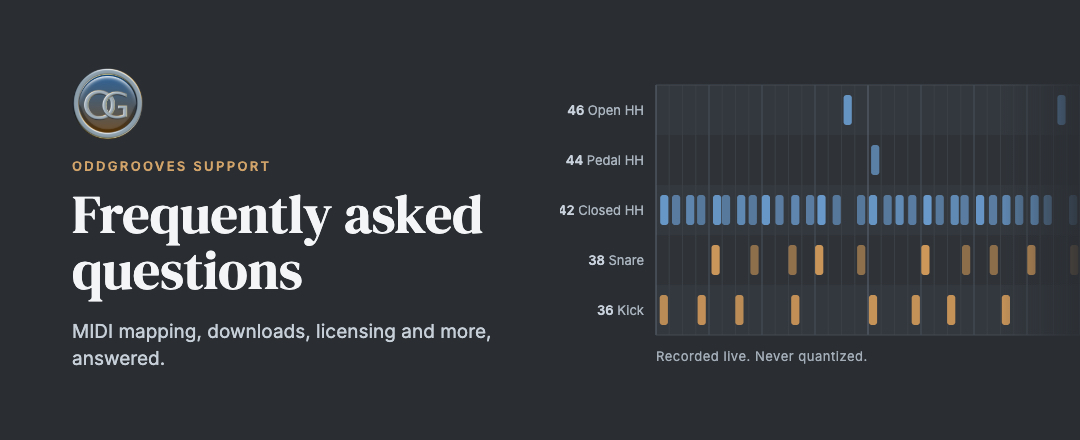
Never. The timing and dynamics are exactly as Magnus played them. That’s the whole point: the little pushes, pulls and ghost notes are what make a drum track sound like a person rather than a spreadsheet. If you want robot-tight grooves, you can always quantize them yourself, but we’d be a little bit sad.
What genres and time signatures do you cover?
Jazz, rock, funk, soul, progressive rock, hard rock, classic rock, Latin, country and fusion, with more on the way. Grooves come in 17 time signatures: 3/4, 4/4, 5/4, 6/4, 7/4, 3/8, 5/8, 6/8, 7/8, 9/8, 11/8, 13/8, 15/8, 17/8, 13/16, 15/16 and 19/16. Yes, we’re aware that 19/16 is a lot. Blame Magnus.
Are the grooves just short loops?
No. Most packs are built in song format with intros, verses, choruses, fills and endings, and many grooves run 8 or 16 bars. Each product page lists the bar lengths and tempos for that pack.
Can I try before I buy?
Yes. There are free grooves on our free downloads page, and a new free jam groove most months in our newsletter.
Formats and compatibility
Which drum samplers do the grooves work with?
Every pack comes pre-mapped for the most popular drum samplers, plus a General MIDI (GM) version that works with practically everything else:
- Toontrack EZdrummer and Superior Drummer
- XLN Audio Addictive Drums
- Steven Slate Drums
- Native Instruments Studio Drummer and Abbey Road Series
- Logic Drummer
- General MIDI
Some packs also include Sonic Reality I-MAP or Spectre Digital ELE mappings. Check the product page for the full list.
Which mapping should I use?
Use the folder that matches your sampler. If your sampler isn’t on the list, use General MIDI. Most drum samplers start from the GM layout, so kick, snare, toms and cymbals will land in the right place, and any small differences are quick to fix (see Troubleshooting).
I use BFD3. Is there a BFD mapping?
Not yet. Use the General MIDI version. BFD users tell us it works fine that way.
I use MT Power Drum Kit. Which mapping should I use?
General MIDI. It matches MT Power almost everywhere except the hi-hat pedal, which MT Power puts on note 65 instead of the GM note 44. See “The hi-hat sounds wrong” under Troubleshooting for the two-minute fix.
I use the drums built into my DAW. Will the grooves work?
Yes, as long as your DAW’s drum instrument follows General MIDI, which most do. Logic users get a dedicated Logic Drummer mapping. For other DAWs, start with the GM version.
Do I need a drum sampler at all?
Yes. MIDI files contain no sound on their own, so you need something to play them through. If you don’t own a sampler yet, your DAW’s built-in drums or a free drum plugin will get you going.
Using the grooves in your DAW
How do I get the grooves into my song?
Drag and drop. Unzip the pack, find the folder for your sampler, and drag a groove onto a MIDI or instrument track that has your drum sampler loaded. Many samplers let you add the grooves to their own groove browser, so you can preview them before dragging. We have step-by-step guides for EZdrummer 3, EZdrummer 2, Superior Drummer 3, Addictive Drums, Steven Slate Drums 5, NI Studio Drummer and General MIDI. You’ll find them all on our articles page.
My sampler doesn’t have a groove browser. Now what?
Drag the MIDI files straight from Finder or Explorer into your DAW. Most DAWs also have their own file browser you can use for this. The only downside is that you can’t preview grooves that way.
A handy workaround if you also own EZdrummer: add the General MIDI folder to EZdrummer’s groove browser. You can then preview grooves there and drag them onto a track with your other sampler, already in the GM layout most samplers understand. Any small mapping differences can be fixed in the piano roll.
Will the grooves follow my song’s tempo?
Yes. MIDI has no fixed tempo, so the grooves play at whatever tempo your project is set to. Each groove is recorded at a specific tempo, listed on the product page. Grooves feel most natural within roughly 10-15 BPM of the tempo they were played at. Push a 70 BPM ballad groove to 140 and Magnus starts sounding like he’s had his first-ever cup of coffee, and he doesn’t even drink the stuff.
Can I edit the grooves?
Absolutely, and we encourage it. Change velocities, move or delete hits, swap a crash for a china, chop two grooves together, or build a whole song arrangement from verses, choruses and fills. It’s your drummer now.
Troubleshooting mapping
The wrong drums are playing. What happened?
Almost always a mapping mismatch: the groove was made for one sampler’s layout and is playing through another. Your snare turns into a tom, your hi-hat turns into a ride, and the groove turns into a cowbell-based art installation. Check these first:
- Are you using the folder that matches your sampler? EZdrummer and Superior Drummer users should use the Toontrack folder.
- Is your sampler set to its default mapping? If you changed it, or loaded an e-drum preset, the notes may land elsewhere.
- Sampler not on our list? Switch to the General MIDI folder.
The hi-hat sounds wrong: too open, too sloshy, or the foot chicks are missing
The hi-hat is where samplers disagree most. General MIDI has only three hi-hat notes (closed 42, pedal 44, open 46), while most samplers have many more articulations spread across their own notes. The usual culprit is the pedal hi-hat on note 44. Some samplers use 44 for a half-open hat instead, so every foot chick comes out as a sloshy half-open hit. MT Power Drum Kit is one example: it expects the pedal on note 65.
Two ways to fix it:
- In your sampler: if it lets you edit its MIDI mapping, set the hi-hat pedal to note 44 and move whatever was on 44 to a spare note. You only do this once.
- In your DAW: select all notes on 44 in the piano roll and move them to your sampler’s pedal note.
Some hits are silent
The groove is probably using a note your sampler has nothing on, for example a second ride or an extra cymbal. Move those notes to a kit piece your sampler does have, or swap in a different sound.
The note names don’t match what I see in my DAW
DAWs disagree about octave numbering. The same note 36 (the kick) is called C1 in Logic, Cubase and Studio One, but C2 in Reaper. When in doubt, go by the note number, not the name.
I’ve tried all that and it still sounds off
Get in touch and tell us which sampler and DAW you use, which pack and mapping folder, and which drum sounds wrong.
We’ll figure it out with you.
Licensing
Can I use the grooves in songs I release?
Yes. All OddGrooves grooves are 100% royalty-free, including for commercial releases. Put them on your album, in your YouTube videos, in a TV sync, wherever. You don’t owe us royalties, and you don’t need to credit us (though we won’t complain if you do).
Do I need to credit Magnus or OddGrooves?
No credit is required. If a track you made with our grooves turns out great, we’d love to hear it, and we might ask to add it to a pack playlist.
Can I share or resell the MIDI files?
No. This is the one place where we’re going to be firm, friendly but firm. Use the grooves in as many songs, videos and productions as you like. But the grooves themselves can’t be resold, shared or given away in any form. That includes edited versions, versions rendered to audio loops, and grooves bundled into another groove or sample library.
Every pack is many hours of Magnus behind the kit, and selling packs is how we keep making new ones. So in short: making music with the grooves, always yes. Reselling the grooves, never.
Can I use the grooves for practice and teaching?
Yes. Lots of customers use them as a much more musical metronome, and at least one teacher uses them with students. Practice away.
Buying, downloads and refunds
How do I get my grooves after I buy?
Instantly. Your download link appears on the order confirmation page right after checkout, and we email it to you as well. There’s nothing physical to ship, so no waiting by the mailbox.
I lost my download link. Can I download again?
Yes, if you have an account and were logged in when you bought the pack. Those orders can be downloaded again from your account. Bought without an account, or forgot to log in? Email us with the address you ordered with and we’ll get you a fresh link.
Is there a subscription?
No. You pay once per pack or bundle and the grooves are yours to keep.
Which payment methods do you accept?
All major credit cards and PayPal.
What if I’m not happy with a pack?
Every pack comes with a 30-day full money-back guarantee, no questions asked. Just email us within 30 days of your purchase.
I accidentally bought a pack I already own
It happens more often than you’d think. With this many packs, even we lose track. Email us and we’ll either refund the duplicate or credit it to your account, whichever you prefer. If you used a different email address for an earlier order, let us know so we can find it.
Do you have sales?
We run launch pricing on new packs a few times a year, plus a yearly Black Week sale in November. Newsletter subscribers hear about them first.
Are there free grooves?
Yes. Our free downloads page has a free sample collection, and newsletter subscribers get a new free jam groove most months.
Requests and contact
Can you make a pack in my favourite style?
Maybe! We keep a running list of the styles customers ask for, and the most-requested ones shape what Magnus records next. Send us your request, and the more specific the better. “Late-70s Steely Dan shuffle” helps us more than “something funky”.
Can Magnus record custom drums for my song?
Yes, on a limited basis. Send us your track and tell us what you’re after, and we’ll let you know if it’s a good fit and what it would cost.
Can I send you a song I made with your grooves?
Please do. Hearing what people make with Magnus’s grooves is honestly the best part of the job. With your permission, we might even add it to one of our pack playlists.
How do I get in touch?
Use our contact form. It’s a small company, so you’ll get a reply from an actual human, usually Per. It might not be instant, but it will be from someone who knows the difference between a flam and a drag.